New Size charts for Wix Stores

Help every shopper choose the right fit.

Clear size charts on every product page, attached in seconds, styled to match your store. Shoppers find their size with a few measurements, so they buy with confidence.

  • Free plan, no card needed
  • No code
  • Runs entirely inside Wix
  • 37ready made size charts
  • 4sizing regions: US, UK, EU and India
  • 14built in measurement guides
  • 0cookies placed on shoppers

How it works

From no size chart to every product covered, in minutes

Three steps, all from your Wix dashboard.

1

Build a chart

Start from a template for dresses, tops, bottoms, lingerie, swimwear, shoes and more, or import your own table. Edit it like a spreadsheet.

2

Attach it the way you think

Type a product name to cover every match, or assign whole categories so products you add later are covered too.

3

Shoppers find their size

A size guide appears on the product page in your store's style, with an optional personal size recommendation.

01Build

Start from a template, then make every chart your own

Every chart is a clean, editable table with a live preview of exactly what shoppers will see.

  • 37 templates for women and men, in US, UK, EU and India sizing.
  • Spreadsheet editing with arrow keys, ranges like 81–84 and instant validation.
  • cm and inches converted for shoppers automatically.
  • How to measure guides with clear diagrams, or your own photos and steps.
Tailor Fit · Size chart editor
The Tailor Fit chart editor showing a dress size chart with a live preview and editable measurements

02Assign

Type a product name. Every match is covered.

No product IDs and no clicking through pages one product at a time. Tailor Fit works the way you think about your catalog.

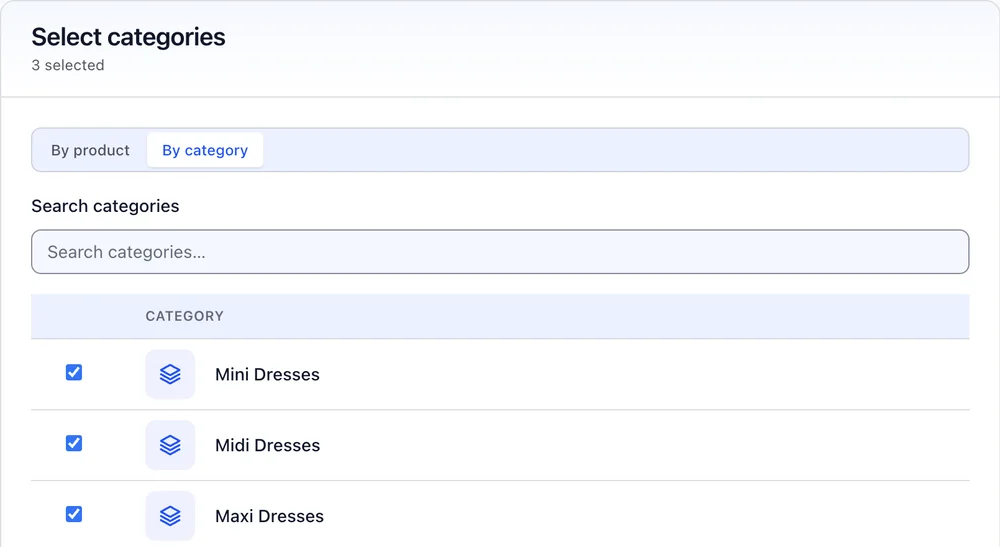
  • Search “Mini Dress” and select all 24 matches in one click.
  • Category rules cover products you add later, automatically.
  • Clear precedence so each shopper always sees one chart.
  • Undo and history for every assignment change.
Select every match and category rules: Advance and Pro
Tailor Fit · Assign size chart
Assigning a size chart: a search for Mini Dress with all 24 matching products selected
Three dress categories selected for the same size chart

03On your store

A size guide that looks like part of your store

The size guide opens right beside the size picker, on desktop and phone, in your colors, fonts and corners.

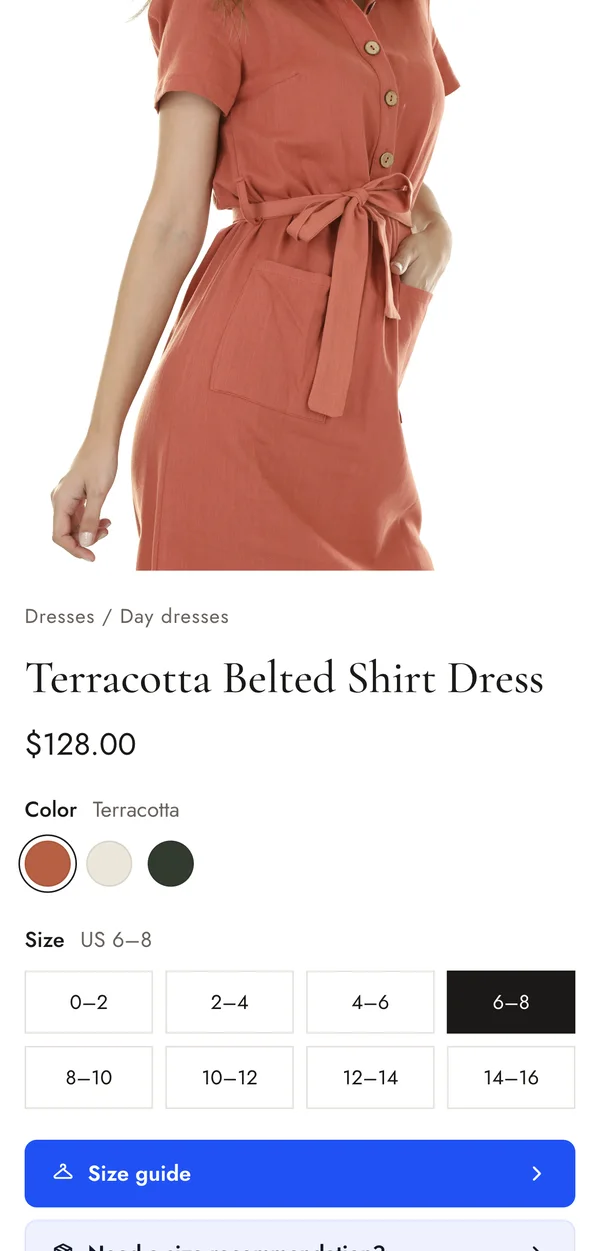
  • Added to product pages automatically, or placed anywhere in the Editor.
  • Brand styling with a live preview before you save.
  • Popup, slide over or always inline, light, dark or automatic.
  • Eight languages and right to left layouts.
maisonarlo.com
A product page with a Size guide button and a size recommendation button under the size picker
The same product page on a phone

04Find My Size

Recommend the right size in seconds

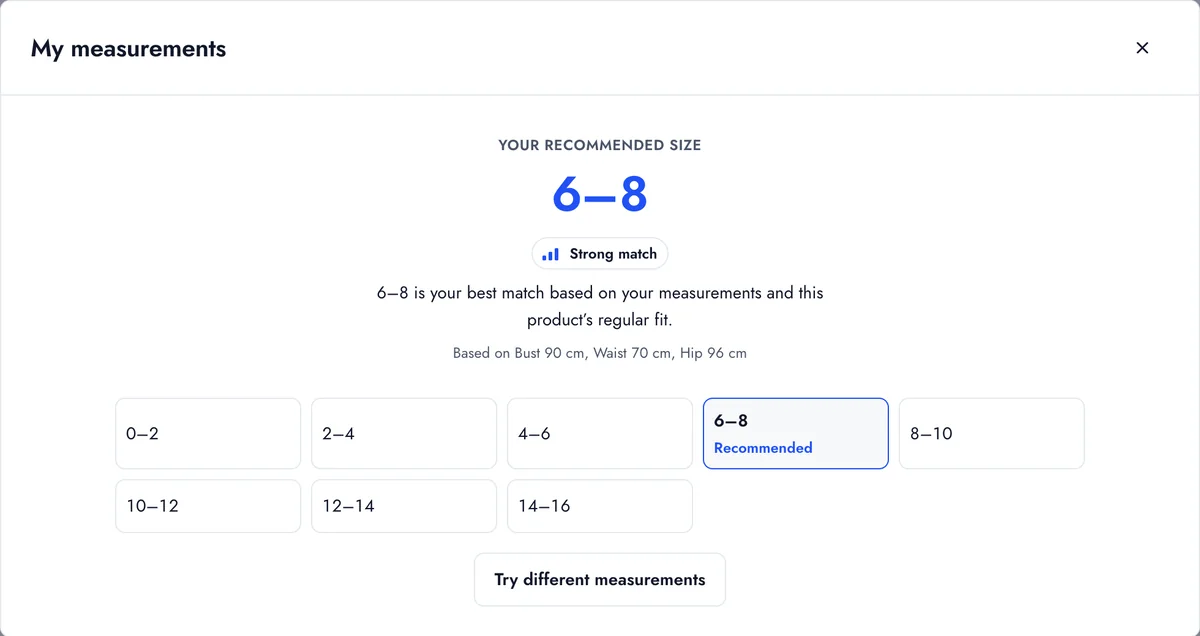
Shoppers enter a few measurements and see their best size, how close the match is, and why.
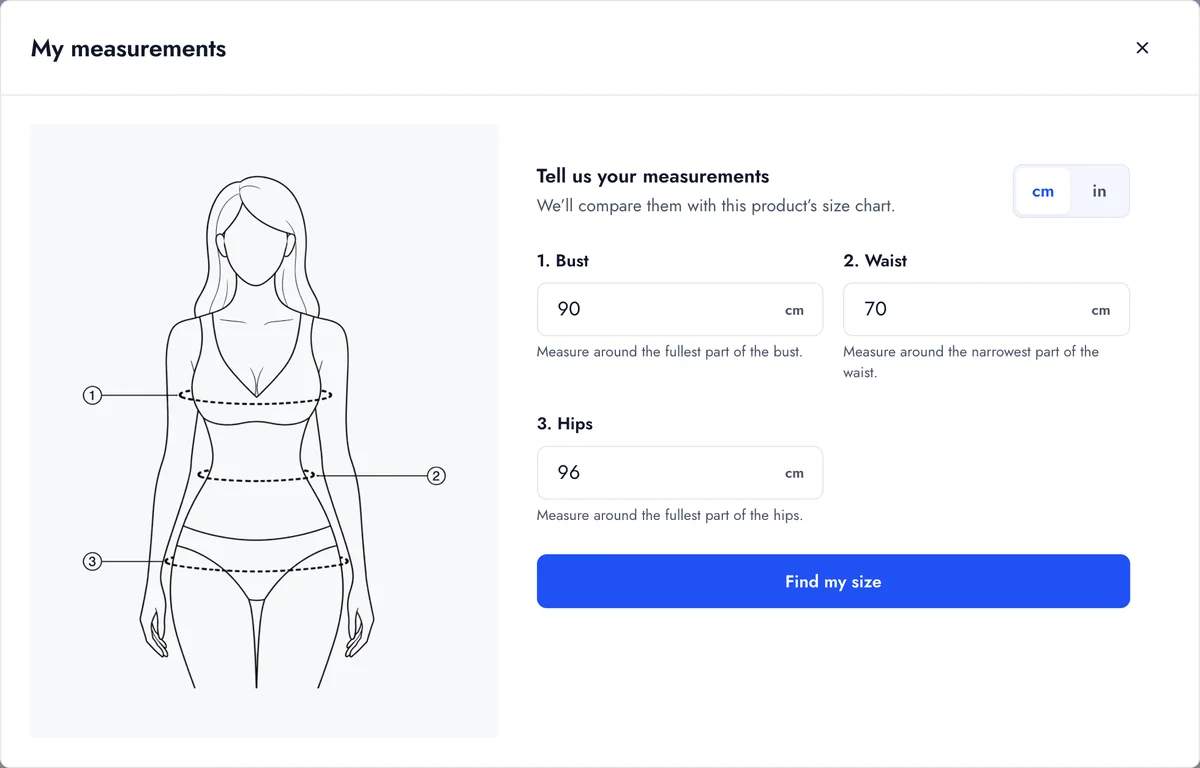
  • A clear recommendation labelled as a strong, good or rough match.
  • Fit aware, using each chart's fit and stretch.
  • Private by design. Measurements stay in the shopper's browser and are never saved.
Included in Pro
A shopper entering bust, waist and hip measurements
The recommended size 6–8 shown as a strong match

05Size insights

See which sizes your shoppers actually need

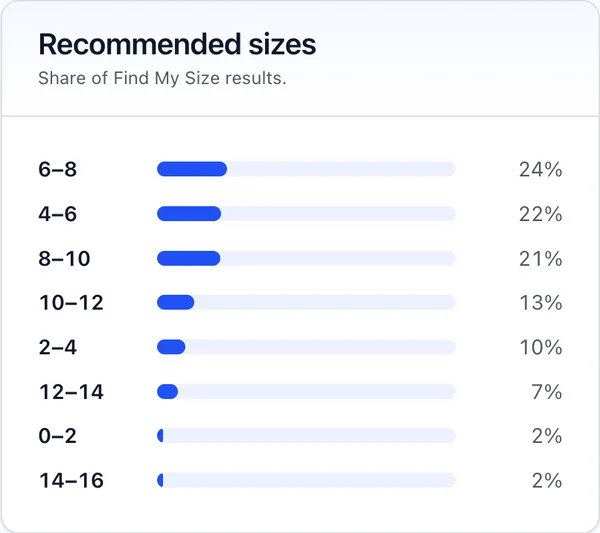
Know which charts shoppers open, how often they ask for a size, and which sizes come up most, so you stock and describe products with confidence.

  • Daily activity for 7, 30 or 90 days.
  • Most recommended sizes for every chart.
  • Anonymous counts, with no cookies and no personal data.
Included in Pro
Tailor Fit · Size insights
Size insights: 4,176 chart opens, 1,794 recommendations, and a daily activity chart
Share of recommended sizes, led by 6–8 at 24 percent

The 30 second tour

See Tailor Fit from chart to checkout

Pricing

Start free. Upgrade when your catalog grows.

Every plan includes the size guide on your product pages. Paid plans start with a 14 day free trial.

Basic

Everything you need to add clear size charts.

$0forever

No card needed

  • Up to 3 size charts
  • 37 ready made templates
  • 14 measurement guides
  • Assign charts to products
  • Size guide with cm and inches
  • Your brand color
Start free

Advance

Scale your catalog and match your brand.

$6.99per month

$5.59 per month, billed yearly

  • Up to 25 size charts
  • Assign by category, including new products
  • Select every matching product at once
  • Import from CSV or Excel
  • Custom measurement guides
  • Full brand styling and inline charts
Try Advance free

Prices in US dollars. Billing is handled securely by Wix, and you can change or cancel your plan at any time.

Privacy and reliability

Your store's data stays in your store

Runs entirely inside Wix

Your charts and settings live in your own Wix site. There are no outside servers.

Shoppers stay anonymous

Measurements never leave the shopper's browser. Insights are anonymous counts, with no cookies and no trackers.

Clean when you leave

Uninstall and Tailor Fit removes everything it created. Nothing is left behind in your site.

Questions

Good to know

Do I need to write any code?

No. Tailor Fit installs from the Wix App Market and adds the size guide to your Wix Stores product pages automatically. Everything is managed from your Wix dashboard.

Which stores does it work with?

Any Wix site with Wix Stores, on both the newer and the classic product catalog.

How does Find My Size work?

Shoppers enter a few measurements and Tailor Fit compares them with your chart in their browser, then recommends a size and shows how close the match is. Measurements are never sent or saved.

What happens to new products?

When a chart is assigned to a category, every product you add to that category later shows the same chart automatically.

Can I bring in my existing size tables?

Yes. On Advance and Pro you can import a size table from a CSV or Excel file and map its columns to measurements.

What happens to my data if I uninstall?

Tailor Fit removes everything it created in your site. Images you uploaded for guides stay in your Media Manager. Read the privacy policy for details.

Give every shopper the confidence to choose their size

Add Tailor Fit to your Wix store and publish your first size chart in minutes.